
Download Opener – Free, Secure, Lightweight Tool for ZIP, RAR, TAR & More
Opener is a fast, lightweight, and secure file compression tool designed for Windows and mobile devices. Whether you're a student, professional, or casual user, Opener makes it easy to open and extract files from a wide range of archive formats including .ZIP, .RAR, .TAR, .GZ, .7Z, .ISO, and more. With a clean interface and one-click extraction, Opener eliminates the hassle of dealing with compressed files.
It’s completely free to download and use, with optional in-app purchases for advanced features. No bloatware, no ads, and minimal system resource usage—making it ideal for older PCs and devices with limited storage. If you're tired of switching between multiple tools for file decompression, Opener is the streamlined solution you’ve been waiting for.
Effortless File Extraction with One Click
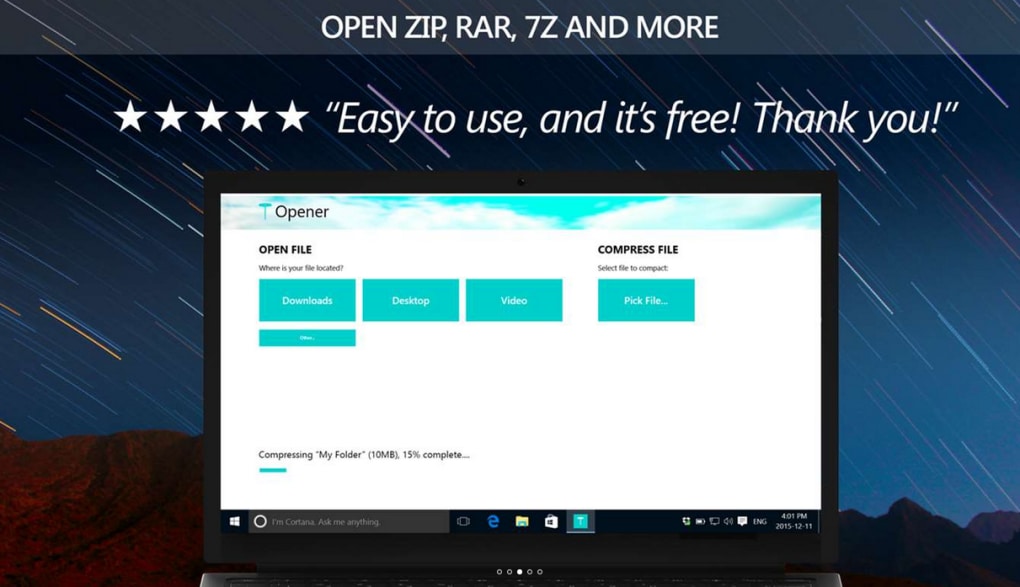
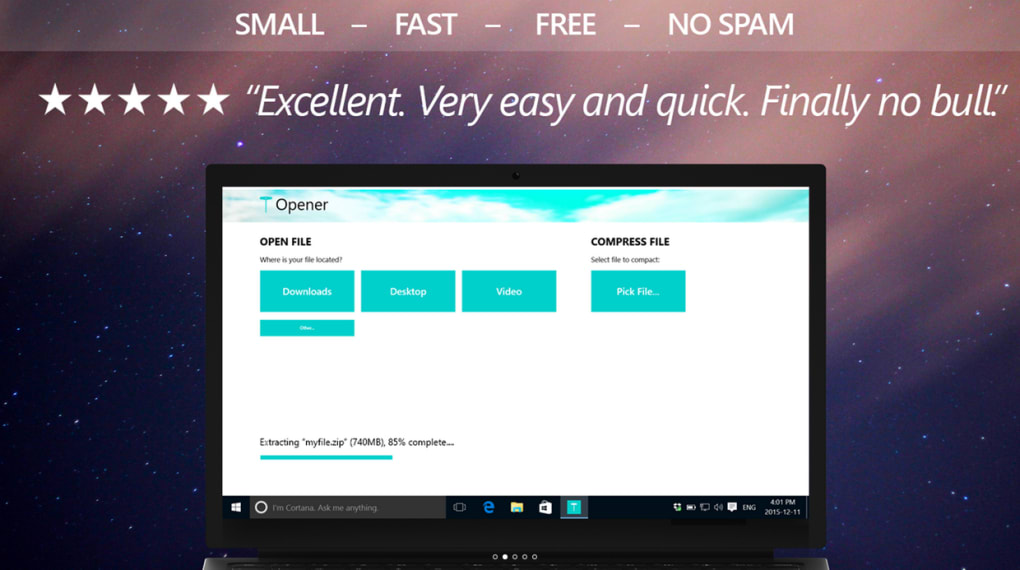
One of the standout features of Opener is its simplicity. Unlike other compression tools that require complex navigation or configuration, Opener delivers a frictionless experience from the moment you launch it. Once installed, you can simply drag and drop any compressed file into the Opener window, or use the built-in file browser to locate your archive. Within seconds, the software identifies the file format and prepares it for extraction. With a single click, the entire contents are extracted to your chosen folder—no additional steps, no confusing settings.
This one-click functionality is especially beneficial for users who aren’t tech-savvy or those who need to extract files quickly during work or study. Whether you're downloading software packages, research documents, or multimedia files from the internet, Opener handles them all with speed and precision. The interface is clean and intuitive, featuring minimal buttons and clear visual cues, ensuring that even first-time users can navigate it effortlessly. There’s no need to learn complex commands or remember file paths—Opener takes care of everything automatically.
Additionally, Opener supports batch extraction, allowing you to process multiple archives at once. This is a game-changer for users managing large collections of compressed files, such as developers downloading code repositories or content creators organizing media packs. The tool maintains file structure during extraction, so folders and subdirectories are preserved exactly as intended. This level of reliability and ease makes Opener not just a utility, but a productivity booster for everyday file management.
Support for Multiple Archive Formats & Cross-Platform Use
Opener shines in its versatility. It supports a wide range of archive formats, making it a true universal decompression tool. From the widely used .ZIP and .RAR to less common ones like .TAR, .GZ, .7Z, .ISO, .CAB, .ARJ, and .LZH, Opener handles them all with consistent performance. This broad compatibility means you won’t need to install multiple tools just to open different types of compressed files—Opener does it all in one lightweight package.
For users who work across devices, Opener offers mobile versions for both Android and iOS, ensuring seamless file management whether you're on your desktop or smartphone. The mobile app mirrors the desktop experience with a responsive design, allowing you to extract files on the go. This is particularly useful when downloading project files, e-books, or software updates while traveling. The app syncs your extraction history and preferences across devices, so your workflow stays consistent.
Another major advantage is its minimal system footprint. Opener uses under 10MB of disk space and runs efficiently even on older machines with limited RAM. It doesn’t slow down your computer or consume excessive CPU power during extraction. This makes it perfect for low-end laptops, budget PCs, and even older smartphones. Whether you’re using a Windows 10 machine from 2015 or a mid-range Android tablet, Opener delivers smooth performance without compromise.
Installation, Usage & Compatibility
Installing Opener is quick and straightforward. Visit the official website and download the installer for your operating system—Windows, Mac, Android, or iOS. The setup process takes less than a minute, with no complicated steps or bundled software. Once installed, Opener automatically registers itself as the default handler for common archive types, so double-clicking a ZIP or RAR file will open it directly in Opener.
For advanced users, Opener offers customizable extraction settings. You can choose the destination folder, rename files during extraction, and even set password protection for sensitive archives. The software also includes a built-in preview feature, allowing you to view the contents of an archive before extracting—ideal for verifying file integrity or avoiding unwanted downloads.
Opener is compatible with all major versions of Windows (7, 8, 10, 11), macOS (10.13 and above), Android (6.0 and newer), and iOS (12.0 and above). This broad compatibility ensures that users across different platforms can benefit from its features. The software is regularly updated with security patches and new format support, so you can trust it to stay current and safe. All downloads are verified and free from malware, giving you peace of mind when using the tool.
Pros and Cons of Opener
Pros
- Supports over 20 common archive formats, including ZIP, RAR, TAR, 7Z, ISO, and GZ
- Lightweight and fast—under 10MB installation size
- One-click extraction with no complex setup required
- Available for Windows, Mac, Android, and iOS—cross-platform sync
- Free to download and use with optional in-app purchases for advanced features
- No ads, no bloatware, and minimal system resource usage
Cons
- Limited compression capabilities—primarily focused on extraction
- Advanced features (like password protection) require in-app purchases
- No built-in file compression option for creating new archives
- Mobile app lacks some desktop-level customization
Frequently Asked Questions (FAQ)
Is Opener free to download and use?
Yes, Opener is completely free to download and use for basic extraction tasks. You can open and extract files from ZIP, RAR, TAR, and other formats without any cost. Optional in-app purchases unlock advanced features like password protection and custom extraction settings.
Does Opener support password-protected archives?
Yes, Opener can open password-protected archives. However, accessing these files requires entering the correct password. Advanced password features are available through in-app purchases.
Can I use Opener on my Android or iOS device?
Absolutely. Opener offers dedicated apps for both Android and iOS, allowing you to extract compressed files on your smartphone or tablet. The mobile versions are optimized for touch and offer the same core functionality as the desktop version.
Does Opener support creating new compressed files?
No, Opener is primarily designed for decompression. It does not allow you to create new archives. If you need to compress files, consider using tools like 7-Zip or WinRAR alongside Opener.
Is Opener safe and secure?
Yes, Opener is a secure software with no known malware or tracking. All downloads are verified and regularly updated. The app does not collect personal data, ensuring your privacy is protected during file extraction.
Final Verdict: Why You Should Download Opener Today
If you're looking for a reliable, fast, and secure way to open compressed files on your Windows PC or mobile device, Opener is an excellent choice. Its lightweight design, broad format support, and user-friendly interface make it a standout in the world of file extraction tools. While it doesn’t offer full compression features, its specialization in decompression ensures top performance and stability.
Whether you're a student extracting course materials, a professional managing project files, or a casual user downloading software, Opener simplifies your workflow. With no ads, no bloat, and free access to core features, it’s a no-brainer for anyone tired of juggling multiple tools.
Download Opener now and experience hassle-free file extraction—fast, secure, and free!







